2Shot
A privacy-focused camera app that combines front and rear cameras in the same capture with PIP, split-screen, extended zoom and separate saving options.
- View WebsiteComing Soon

- Role
- Product concept, UX flow, interface direction
- Year
- 2026
- Category
- Digital Products
- Tools
- ChatGPT, Claude, Canva
00
Overview
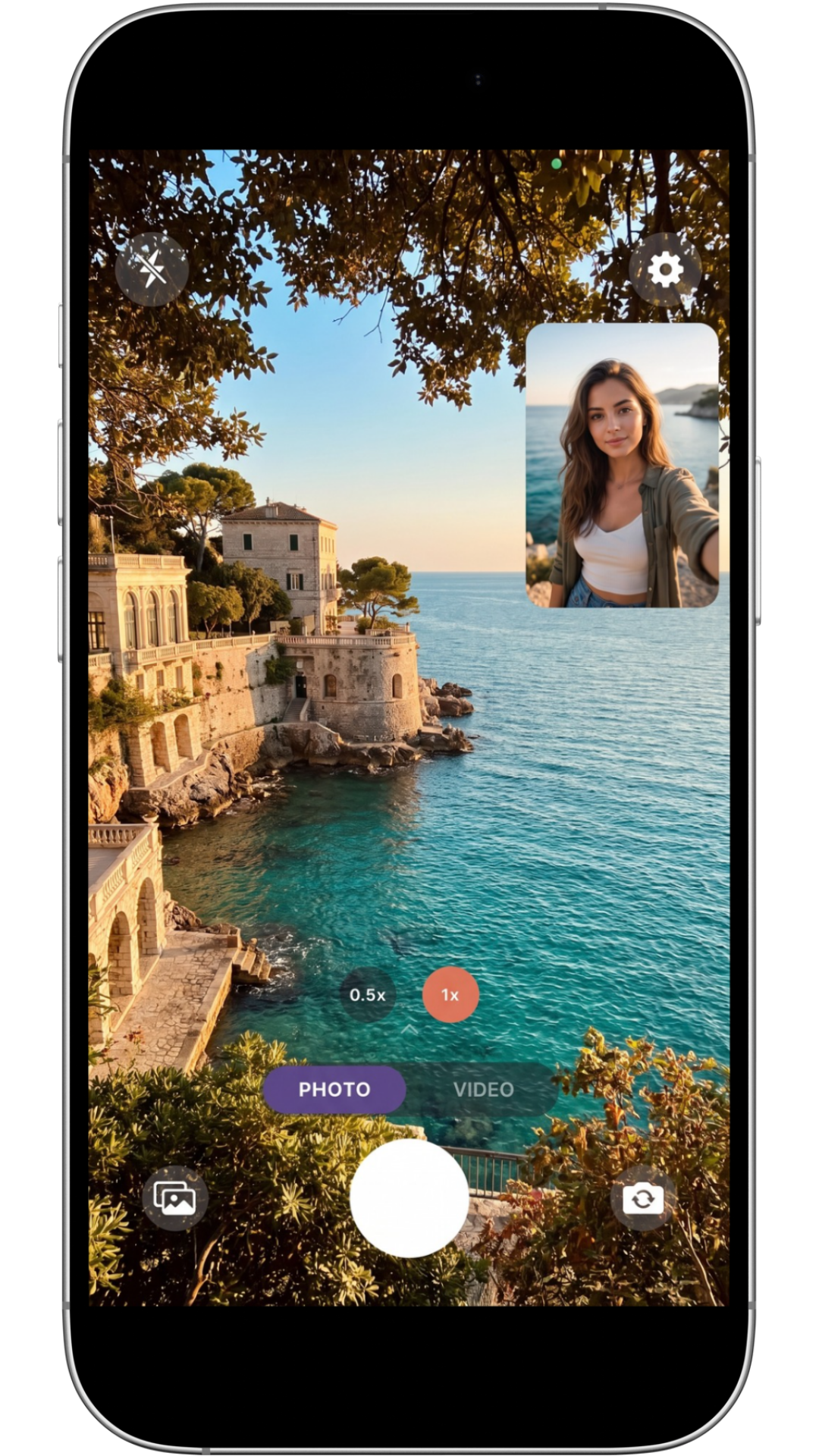
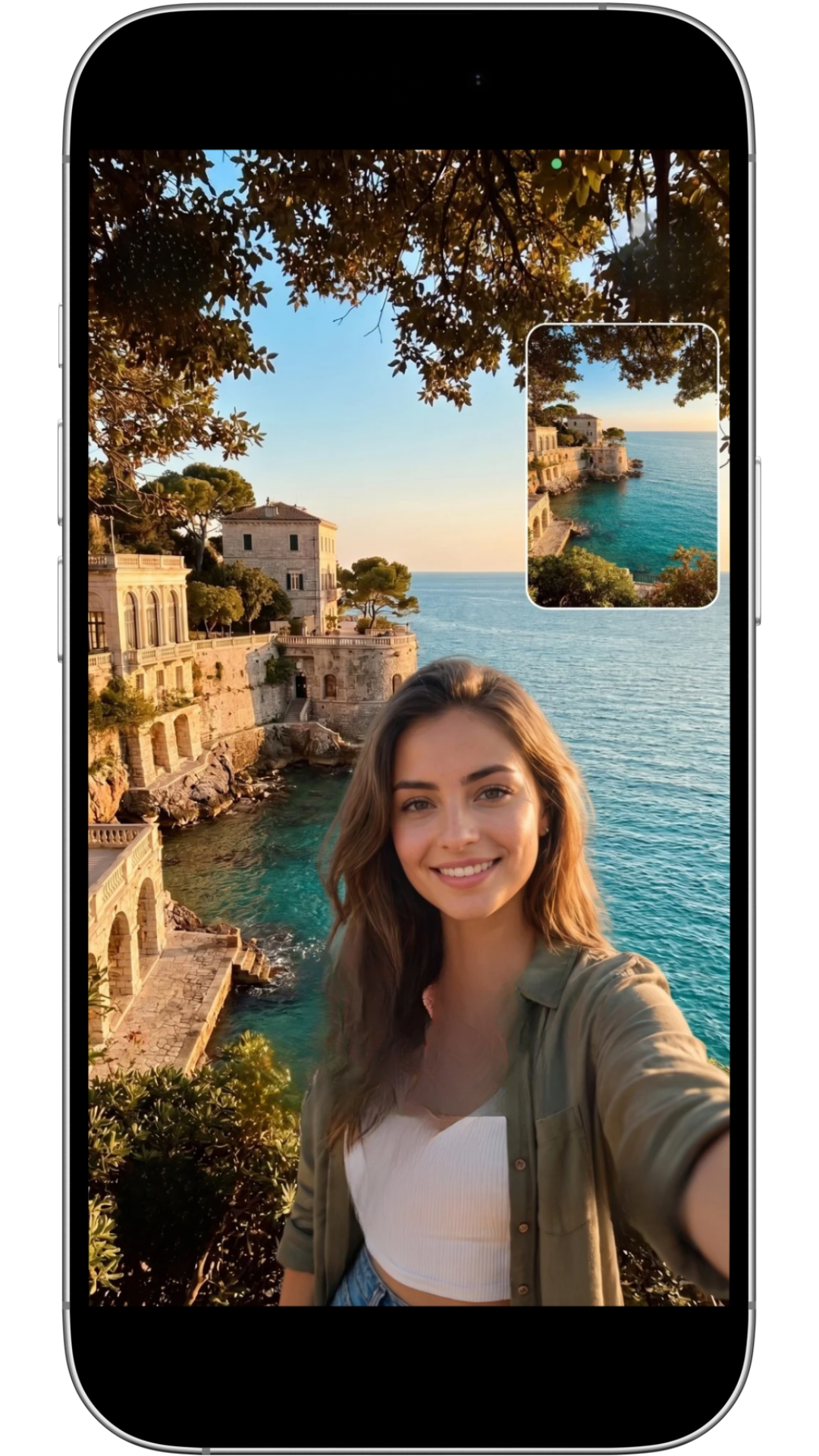
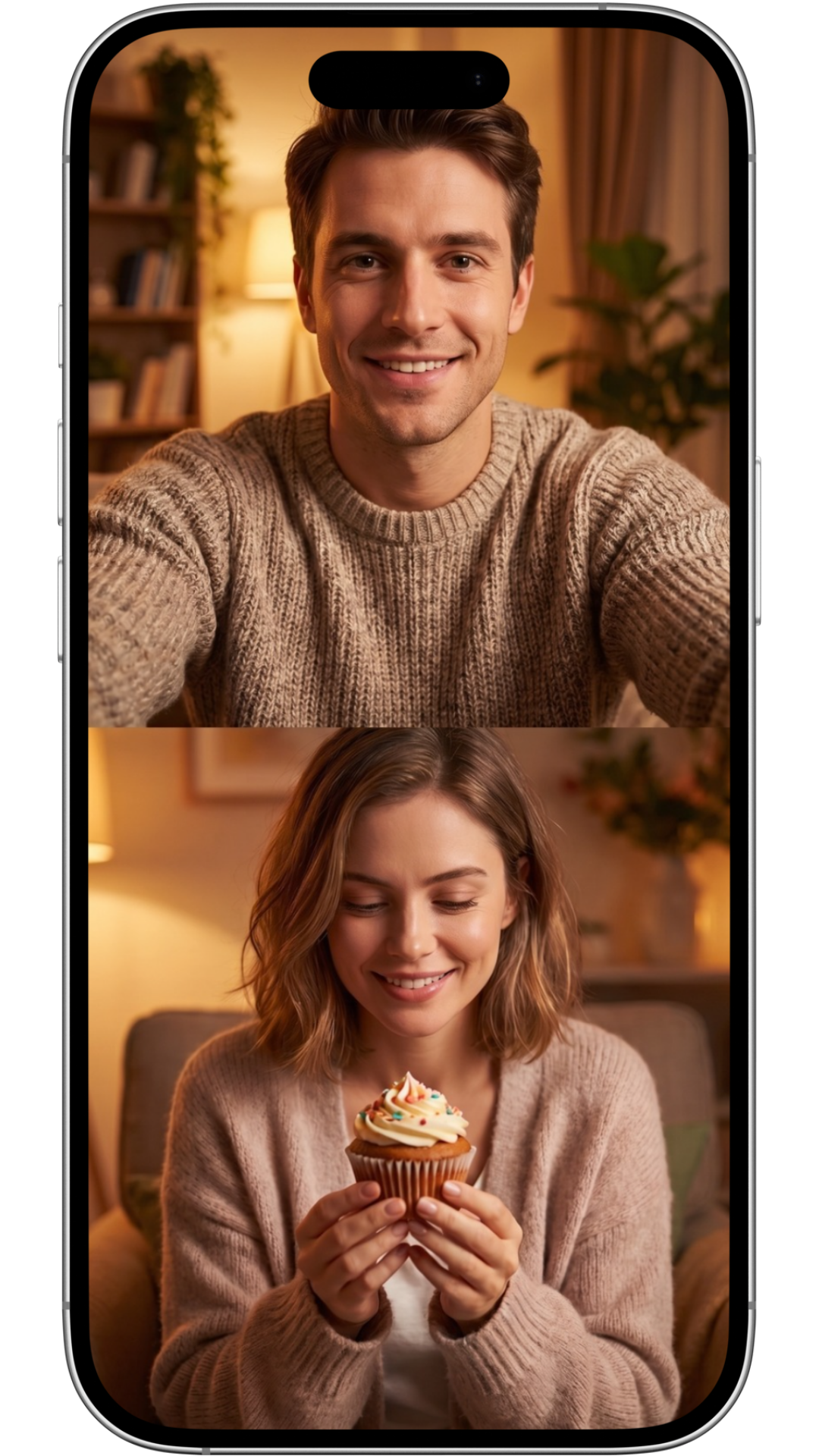
2Shot is a camera app that captures with the front and rear cameras at the same time. Users can record both a scene and their reaction within the same piece of content, choose between PIP and split-screen layouts, and switch camera placement while shooting. Zoom, lighting and saving preferences are also available directly from the capture experience.
01
The starting point
The limits of a single camera view — a phone's native camera usually requires users to choose between the front and rear lens. When recording an event, view or everyday moment, the reaction of the person behind the camera is left out. 2Shot addresses this need not just with a dual-camera view, but through different framing and saving options.
02
Approach & strategy
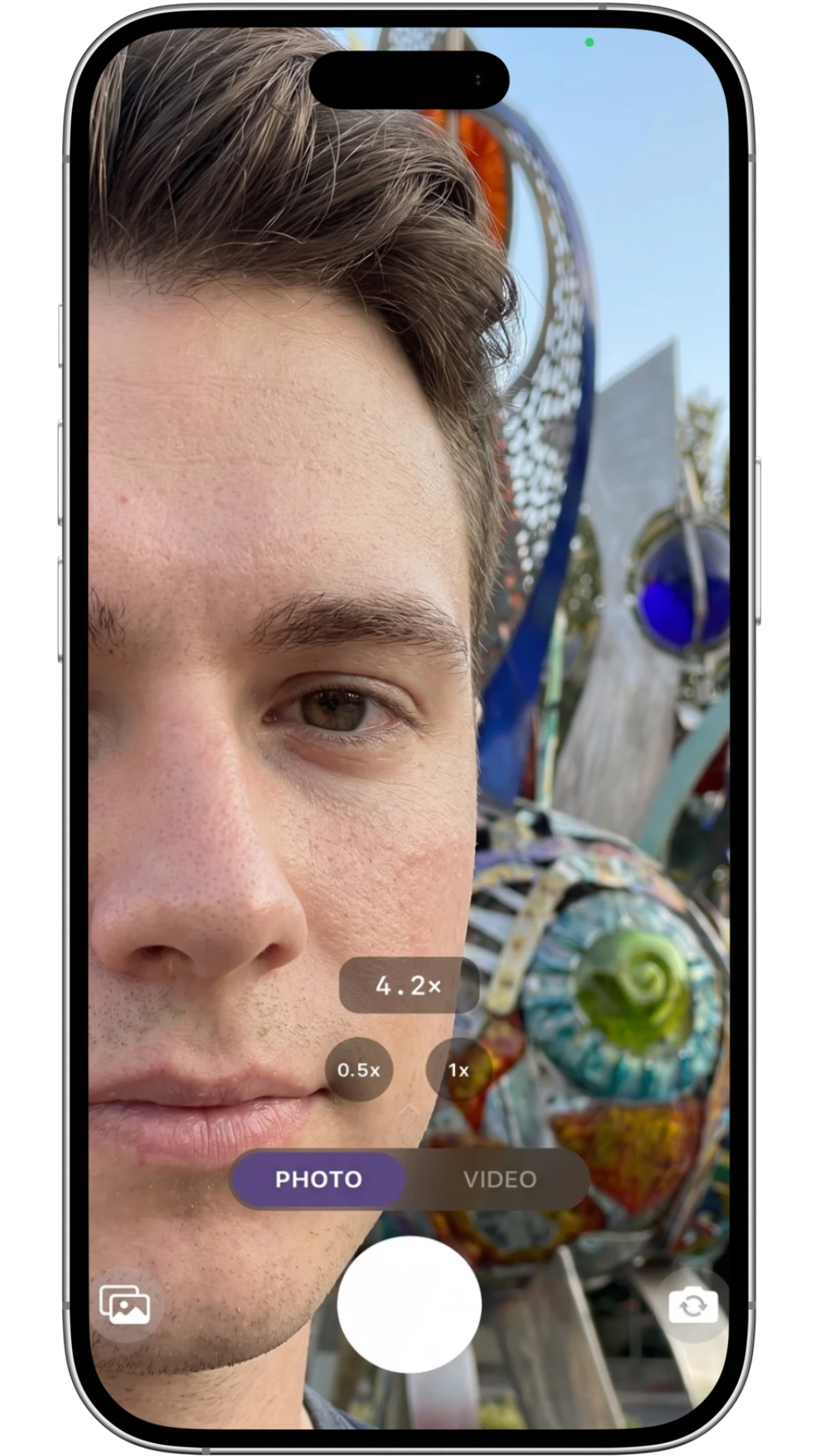
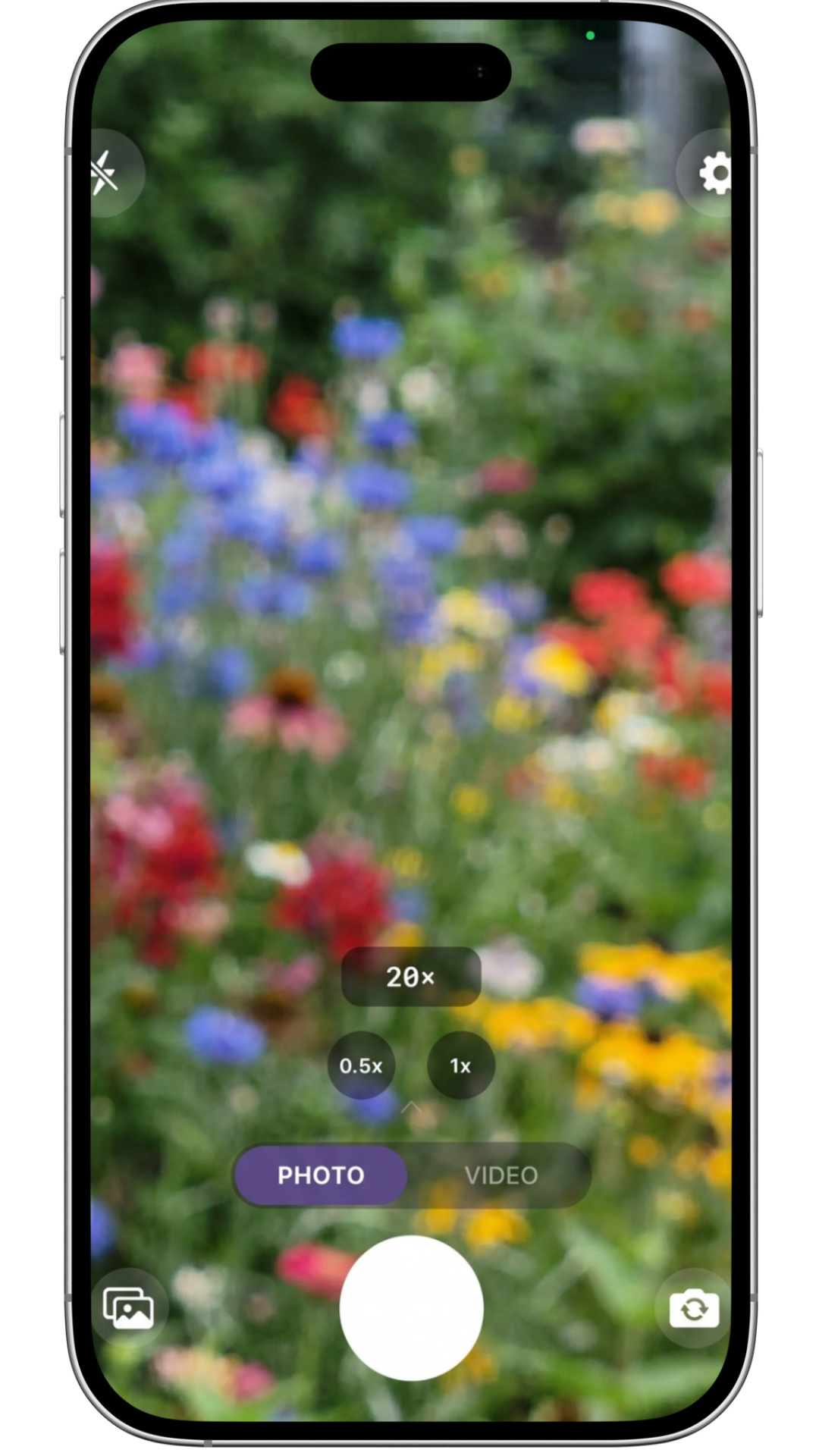
Two cameras, one capture — 2Shot combines the front and rear cameras without limiting users to one composition. They can move between PIP and split-screen modes and switch the position of the primary and secondary camera while shooting. The front camera supports up to 10× zoom, while the rear camera supports up to 20×. Ring Light and Studio Light options help create a more balanced result in lower-light conditions. After recording, users can save the combined result or keep the two camera views as separate files. The application does not store captures on its own servers. Its gallery provides an organized view of 2Shot media saved on the device.
03
One camera experience, multiple ways to frame
2Shot's core capture modes allow both cameras to be used across different compositions.
04
Lighting for different shooting conditions
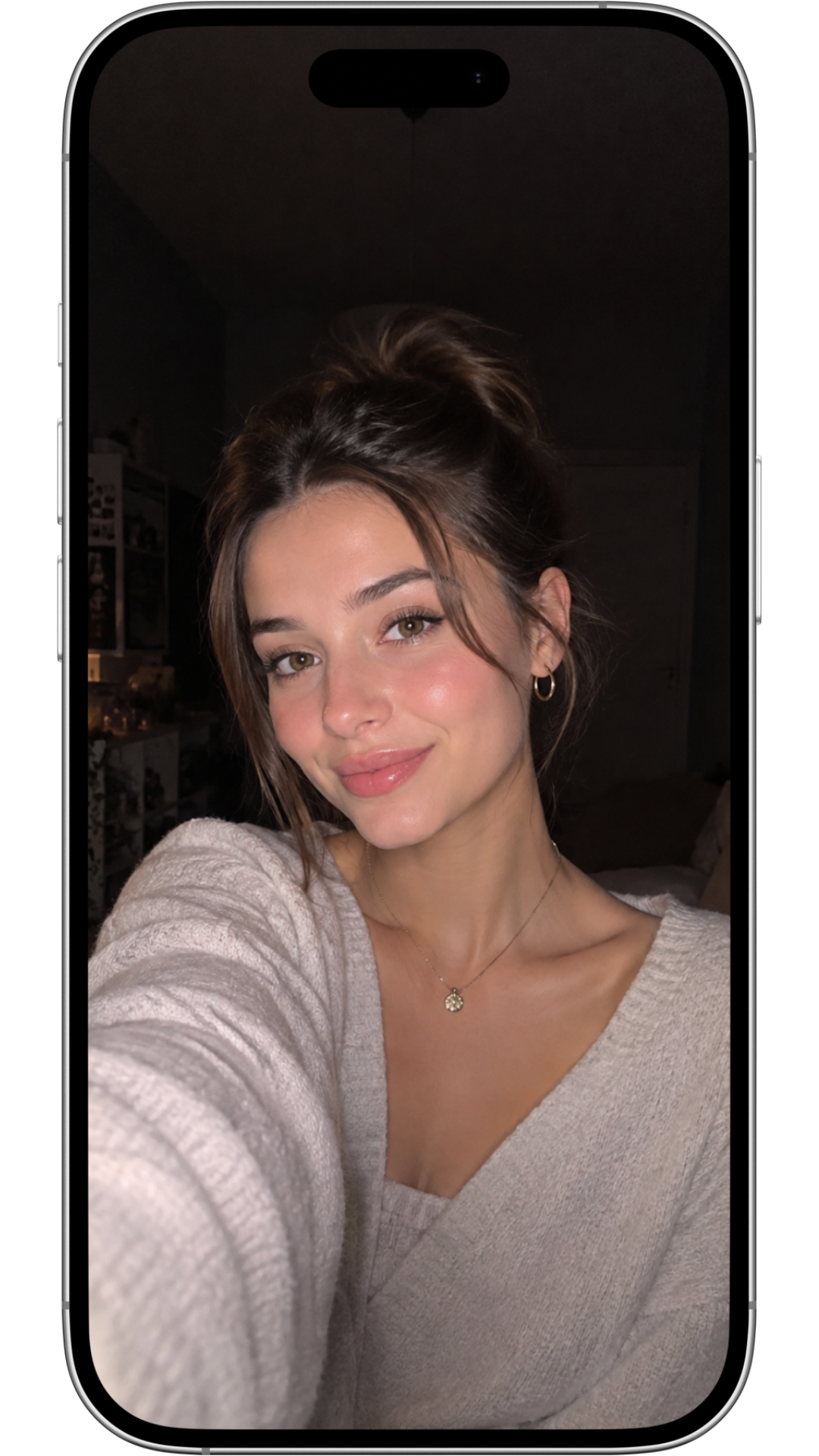
Ring Light and Studio Light options support more controlled results, particularly with the front camera and in low-light scenes. As no screenshot is currently available for Studio Light, that option is presented as a product feature rather than a visual example.
05
Captures stay with the user
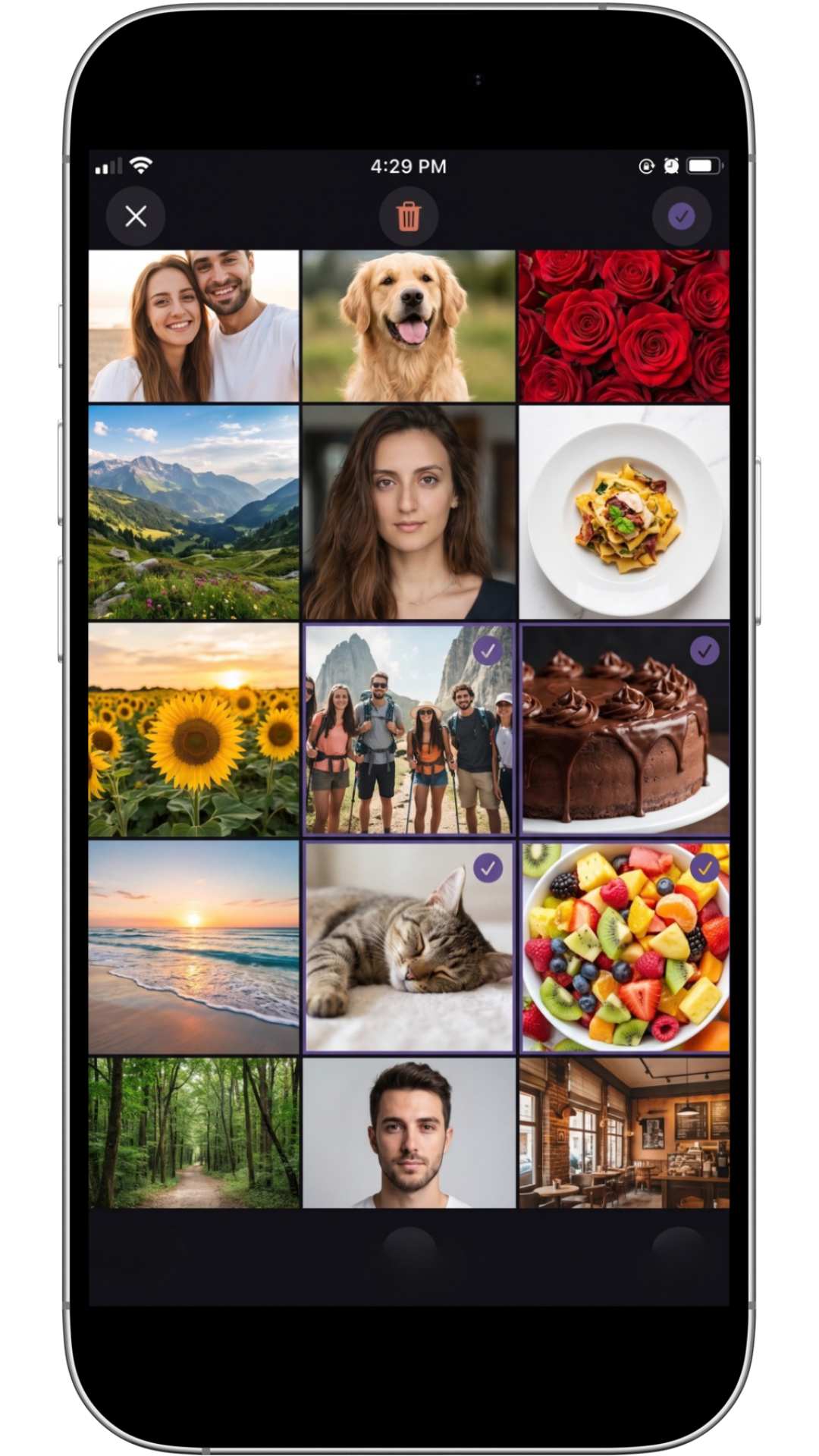
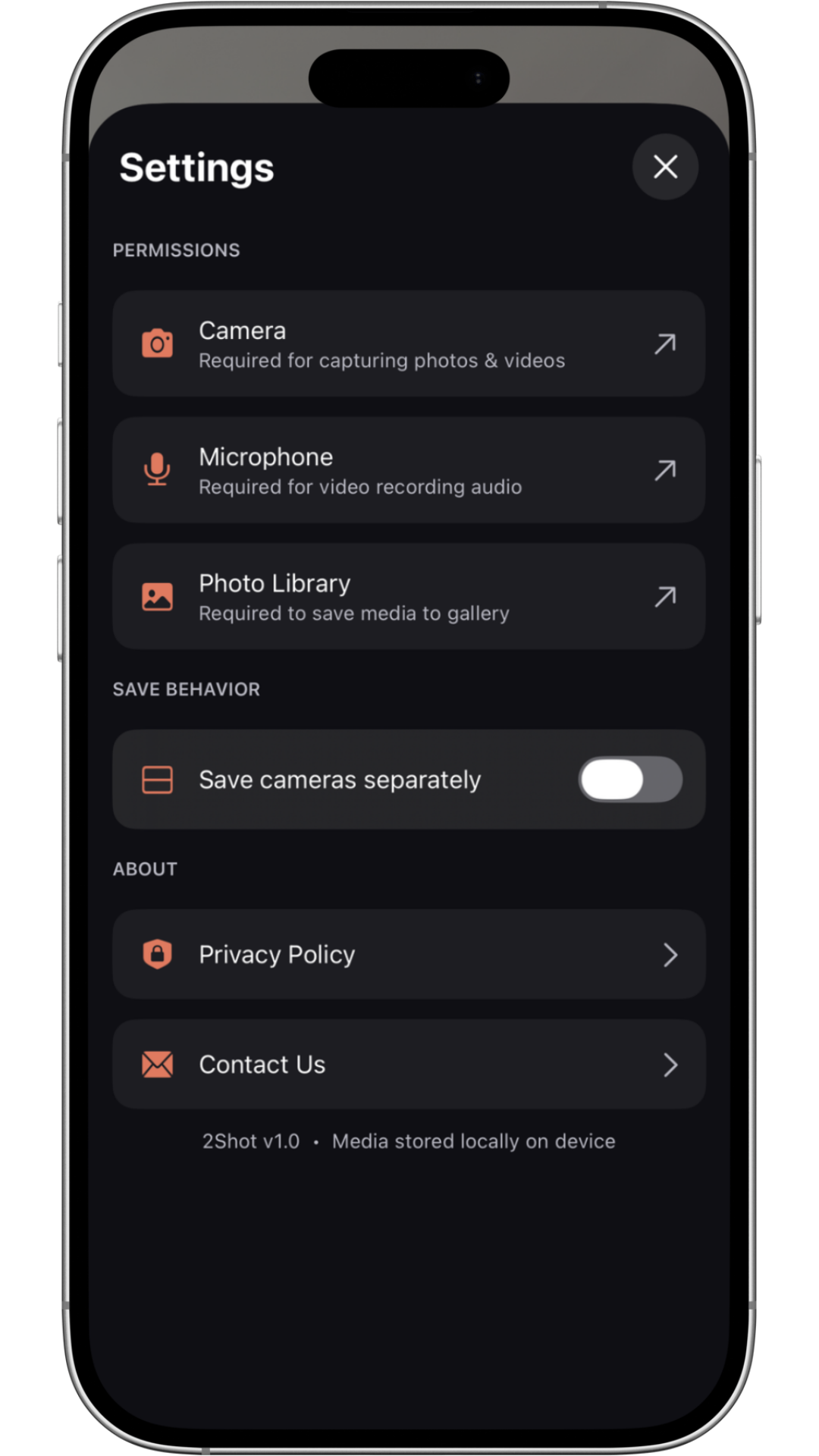
2Shot does not store captures on its own servers. The gallery provides an organized view of media saved on the user's device, and the settings screen explains camera, microphone and gallery permissions in context.
06
What sets 2Shot apart
The combination of controls that makes 2Shot distinct from a native camera app:
- Simultaneous front and rear capture
- PIP and split-screen layouts
- Switchable primary and secondary camera positions
- Up to 10× front and 20× rear zoom
- Ring Light and Studio Light options
- Combined or separate file saving
- No media storage on application servers
- A dedicated gallery for captures stored on the device
07
Production process
- 01
Product thinking
Defined the idea, the audience and the situations the camera is meant for.
- 02
User flow
Mapped the path from opening the app to a saved capture.
- 03
Camera experience
Explored the viewfinder, controls and capture options.
- 04
Privacy approach
Outlined how content and permissions are handled.
08
Key decisions
Key product decisions
Using the front and rear cameras in the same capture became the product's core function. I did not want the application to stop at dual-camera recording alone. The ability to change framing, save camera views separately and understand where captures are stored became equally important parts of the product.
09
Outcome
2Shot developed into a working product concept that brings together two perspectives normally separated by a native camera app. PIP and split modes reshape the composition, while zoom, lighting and saving options give users greater control over the result.
10
What I learned
This project showed me that adding more camera capabilities is not enough on its own. The real challenge was keeping every control accessible without interrupting the act of capturing a moment. Organizing PIP, split, zoom and lighting within one interface helped me make more deliberate decisions about balancing capability with ease of use. I also learned to treat privacy and saving preferences as core product behavior rather than secondary settings.
Next project
← Previous: AI Fashion & Motion CampaignsLanding Page Collection. View Case Study
A growing collection of landing pages developed through vibe coding and refined through project-specific code adjustments.